9/13/2017 02:21:00 PM


 Need
to find an interactive timeline maker to help you organize information
into a linear structure? Timelines are linear organizers that help
students to understand and illustrate the passage of large blocks of
time. While the obvious application would be in a history class,
teachers and educators from all disciplines and in all levels of
education can benefit from teaching with timelines. Whether
investigating events on a historical continuum, studying the evolution
of a social and/or cultural phenomenon, or used as a tool for long-range
planning, timelines are an excellent visual for helping students
recognize “cause and effect relationships between events.”
Whether you are a teacher, educator or student, here are 5 free and 4 paid interactive timeline makers to build beautiful, full-color, multimedia timelines.
1. Sutori
Specifically designed for the education sector, Sutori‘s online timeline software helps teachers and students create interactive timelines for assignments and sharing online.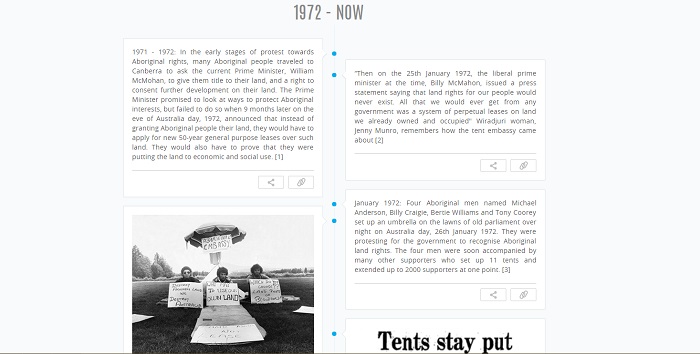
Pros
- Users are given a comprehensive, online tour of the software and its full capabilities upon registering.
- A variety of multimedia timeline events are available with an eye toward the education sector, including text, multiple choice questions, images, video, forums, audio, and “Did you know?”
- Events may be moved up and down the timeline using a drag-and-drop slider.
- Timelines can be embedded onto other platforms without Sutori branding.
- It is possible to add paragraphs, bold, italic, and hyperlinks to timelines.
- Your timelines can be saved as PDFs offline and then printed.
- Multiple users can edit a timeline at the same time.
Cons
- Timeline is build as a series of web pages linked together. An individual page has to be created for every new event, which then have to be linked to events already created on the website.
- There are a lot of fields in the new timeline template. Unused fields must be deleted before you can view your timeline. UPD: the template has been removed.
- Because Sutori’s software is specifically designed for educators and students, it may not be suitable for personal, home use, or use in the business sector. UPD: it’s in the plans to open up to other user types over the summer.
- Registration is compulsory.
2. Capzles
Capzles is an online software tool that allows you to create multimedia timelines for sharing online. The resulting timeline is almost like a blog-at-a-glance, documenting life experiences as they happen.
Pros
- Supports a variety of entry types, including posting images, inputting blog posts, and uploading videos, MP3s, Word, Excel, PowerPoint, and PDF files.
- The interface allows you to put multiple files into each event on the timeline.
- There are a lot of options for personalization, including backgrounds, themes, and colors, as well as the ability to add background music.
- Interactive timelines can be shared through social media.
Cons
- A rather complicated interface for both teachers and students.
- The only way to display an image for text entries is by entering a URL.
- Even after entering the URL, the image does not show up on the timeline.
- When uploading files directly to the timeline, you cannot post additional commentary for the entry.
- Registration is compulsory.
3. WhenInTime
WhenInTime allows users to create multimedia timelines for sharing on social media. The software has a simple interface, allowing for easy creation of online timelines.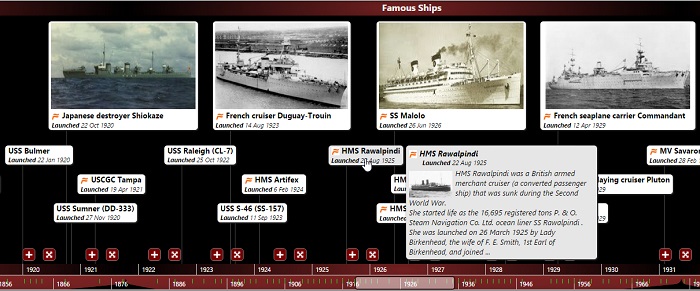
Pros
- Events can be imported and added to your timeline from a number of social media sites such as Twitter, YouTube, and Google+.
- WhenInTime provides a number of themes and templates for its users, for use when personalizing their timelines.
- Users can link their social media to WhenInTime to create an ongoing feed to their timelines.
- The interface is intuitive and easy to manipulate, meaning that you can create professional-looking timelines with minimal time and effort.
Cons
- Because the software relies on database search engines to find images, the search to find something you like takes too much time.
- Some bugs may occur (e.g., the months/days going backwards in the B.C. years).
- Changing the background image to anything other than a pre-designed theme or template is clunky to achieve.
- Mobile version of the timeline is difficult to navigate.
- Registration is compulsory.
4. TimeGlider
TimeGlider is online software for creating timelines incorporating graphics and event blurbs. Public timelines are accessible via a personalized URL, which can be shared with others through email or social media.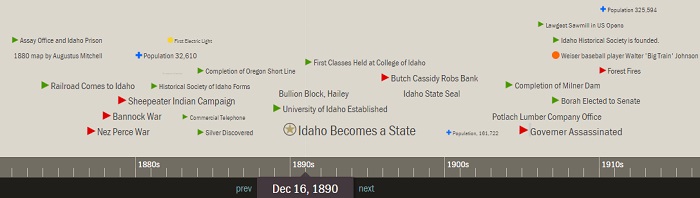
Pros
- Dialogue box input makes it easy to create new events on the timeline.
- Events can be recorded by the year, month, day or hour.
- Multimedia files can be added to your timeline with images, audio and video links (from sites such as YouTube, Vimeo and SoundCloud), and hypertext links.
- Interface allows users to see the whole timeline at a glance, or to move through the timeline one event at a time.
Cons
- Manipulation of the final timeline is difficult to master, especially when setting the scale of the initial timeline display.
- Graphics are more like watermarks than full intensity when displayed on the timeline, which makes the final display less visually interesting.
- The timeline is divided into text and graphic lines, but images are automatically sized by height to fill the images lane, rather than sized by the user. This may cause overlap for entries displayed close together, affecting the organization and readability of the timeline.
- Only one image per event can be added.
- When you open the next event, the previous event popup is kept open, so it may be difficult to go through all the open windows overlapping the timeline.
- Registration is compulsory.
5. ReadWriteThink’s Student Interactive Timeline
Well-known in the educational community for their free tools and materials for literacy promotion, ReadWriteThink has a number of online, interactive tools for students, and the Timeline is one of them. With the Timeline software, students can create, save, and share free timelines.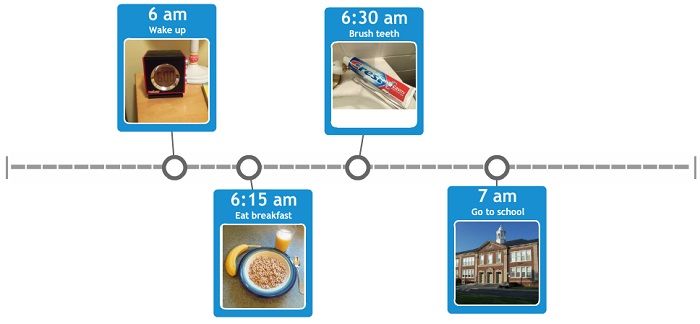
Pros
- Timelines can be organized to user specifications, whether by event, date, or time of day.
- Timelines can be made more attractive by uploading and adding photos.
- Students can save their timelines and come back to work on them at a later date.
- Drag and drop interface makes the timeline easy to create and navigate.
Cons
- The interface allows you to input a label, short and long descriptions, and graphic, but the long description disappears on the timeline and can only be viewed with the timeline viewer.
- You can print the final timeline, but the timeline and long descriptions are printed on separate pages.
- When entering information, the first letter must be a capital letter. A space must be entered before you can begin a sentence with words like eBook or iSpring.
6. Preceden
Preceden creates text-based timelines. Users can enter a title, date and description for each event, which is added with a dot on the timeline. Full text for events is displayed when the user mouses over the dot on the timeline.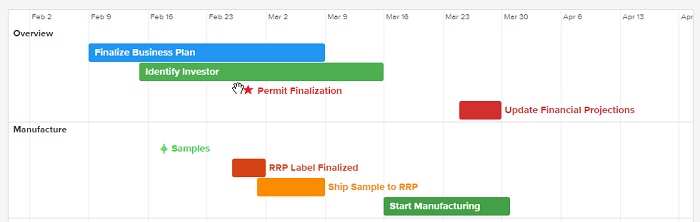 The
free timeline option allows you to add 5 events to your timeline.
Preceden Pro costs $29 USD for one unlimited timeline, $39 for three
timelines, and a onetime payment of $59 for unlimited timelines.
Pros
- Timeline appearance can be easily customized.
- Privacy controls are available.
- The ability to add unlimited events under a Pro plan.
- Priority technical support under a Pro plan.
- Future upgrades and add-ons are free under a Pro Plan.
Cons
- Only 1 timeline with up to 5 events can be made with the free version.
- Other functions are limited in the free version.
- Timeline creation may be rather time-consuming.
- It’s difficult to add links and images. The latter have to be hosted somewhere on the Web before adding them.
- Created timelines can’t be embedded into a WordPress website due to security restrictions.
- Registration is compulsory.
7. Office Timeline
Office Timeline is a PowerPoint add-in that creates timelines slides for business communications. There is a perpetual, Free Edition designed for students and non-professionals, or a full-featured Plus Edition created for enterprise workers. The Plus Edition costs $49 USD annually, and there is also a Twin Pack which costs $89 and allows two co-workers to collaborate on a timeline. There is a menu on the site detailing the price for licenses for anywhere from 5 to 100 users after that.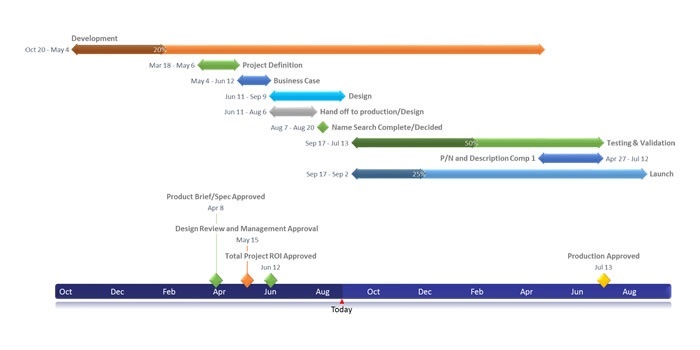
Pros
- The app is integrated right into Microsoft PowerPoint so using it is familiar and intuitive.
- It creates native PowerPoint slides which are easy to share, edit and communicate with others.
- The shapes, text, colors and positions are all customizable so timelines can be uniquely styled.
- There are over 30 free downloadable templates and chart styles on the Office Timeline website.
- Plus Edition integrates with Excel and instantly converts existing data into a timeline slide.
Cons
- The app doesn’t allow users to add pictures to timelines.
- The Free Edition limits features like Excel integration, template styles and formatting.
- It does not work with Microsoft Office for Mac.
- Timelines are designed for executive summaries and are not suitable not for complex projects.
- Paid licenses are limited to 1 year of use.
8. TimeToast
TimeToast allows users to create timelines within moments of registering. Users can upload pictures to include on their sites (much handier than those which only allow for pictures to be inserted via URL), and create time spans to link events on the timeline into smaller groups.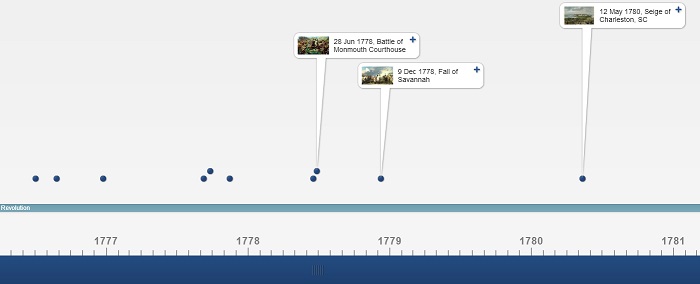 The
free web version allows users to create a single timeline. TimeToast
also offers Basic accounts for $5.99 USD a month and Pro accounts for
$8.99 a month.
Pros
- Each event can contain text, an image, and a link.
- Multiple users can take advantage of TimeToast under Basic or Pro subscription plans.
- The paid subscription plans are ad free.
- There’s access to collaboration tools under the paid subscription plans.
- The ability to moderate comments on public timelines under paid subscription plans.
Cons
- Only three events can be displayed at the same time.
- Few customization options (color, font, etc. can’t be customized), so resulting timelines are rather plain and lacking in creativity.
- The dates that the timeline goes by can’t be changed, as the app creates units for you.
- Support is only available in the form of a FAQ.
- The website is slow.
- Registration is compulsory.
9. TimeRime
TimeRime‘s online timeline creator allows you to make graphic-, text-, and multimedia-based timelines. It costs $7.85 to create a single timeline with up to 100 entries. Tiered Pro versions are available by purchasing licenses (ranging from $199.99 – $1,999) or with monthly subscriptions (ranging from $12 – $125).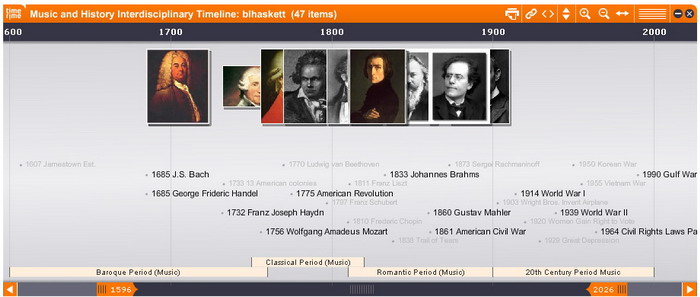
Pros
- The ability to edit timelines to fit the look and feel of your website with the Pro version
- Full content management via the website or CMS/database with the Pro version.
- You can link back to your website from your TimeRime timeline with the Pro version
- The Pro version also covers automatic TimeRime upgrades.
- There are optional customizable features available with the Pro version.
Cons
- Complex interface, which leads to extra time spent on timeline creation.
- Have to click on Up/Down arrows instead of scrolling the timeline.
- Have to zoom in and out with inconvenient icons instead of using a slider.
- Crops the printable version, so only part of the timeline is printed.
- The generated embed code creates timelines of tiny sizes.
- Images can’t be added to the description of a period.
- Registration is compulsory.
Credit: ispringsolutions.com